This website was designed by a Google AI tool and implemented by an Anthropic AI assistant. My contribution was to describe what I wanted, decide what I liked, and tell them when they were wrong. The result is the site you are reading now, and I am genuinely proud of it. That combination of facts still surprises me a little.
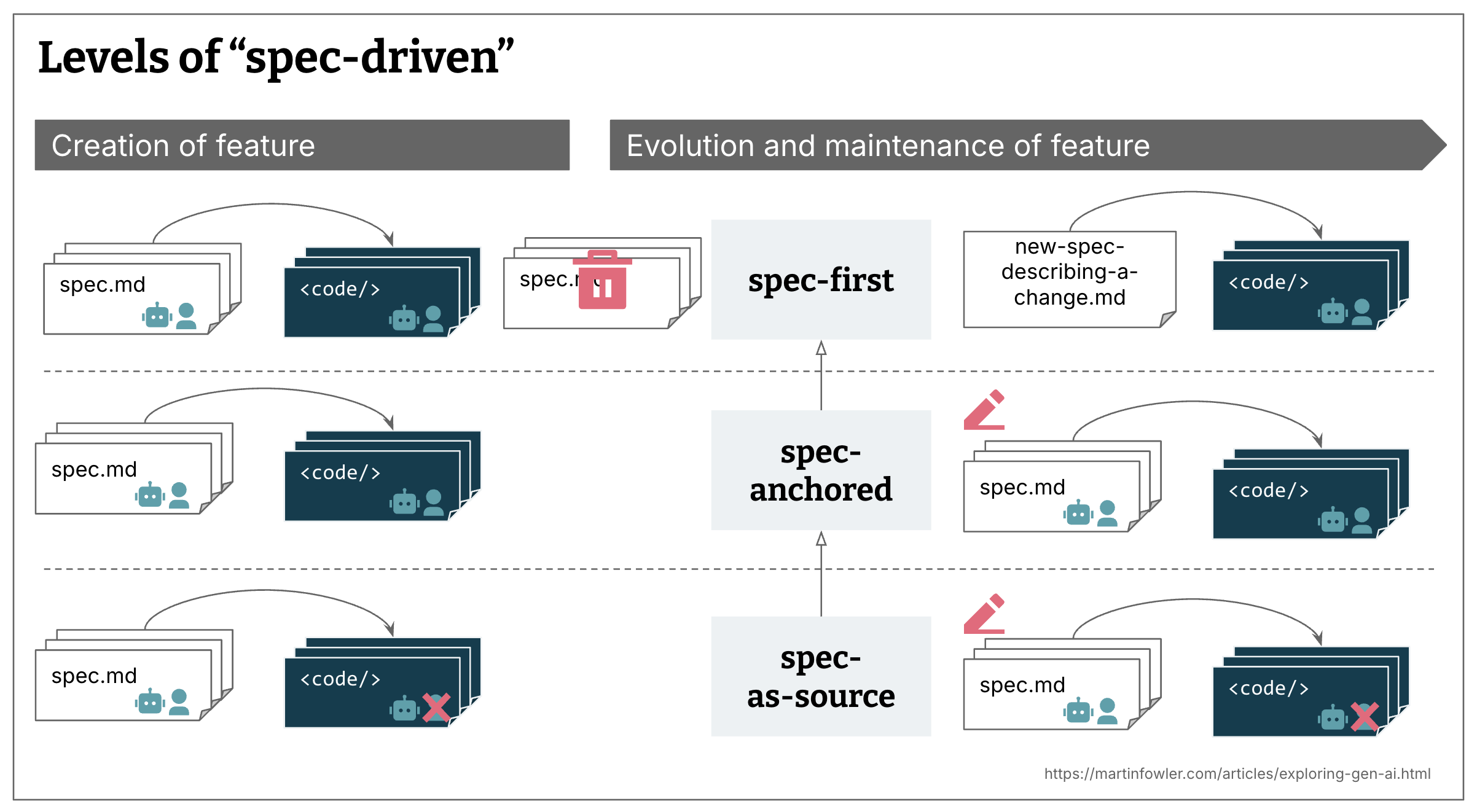
This new paradigm of development is being called AI Assisted Development, or Spec Coding, or Spec-Driven Development (SDD). The video below explains what Spec Coding is and how it differs from naive vibe coding approaches, but also from traditional software development life cycle (SDLC) management methodologies.
What pleases me about this approach is that it emphasizes the importance of documentation in the development process, which is often neglected in traditional development workflows. This ensures that the process, guidelines, and roadmap of the project are well documented and transparent. Since we are now dealing with an algorithm rather than a blamable human, the naive user cannot rely solely on the analysis or accountability of a single developer any more.
In the same way, with the appropriate level of autonomy, I am also applying this same principle to the other projects I am working on. Let's see where it drives us.
This article is about how that happened, why these two tools work as well as they do together, and what it means for people who have spent years building websites for a living.
How this site was built
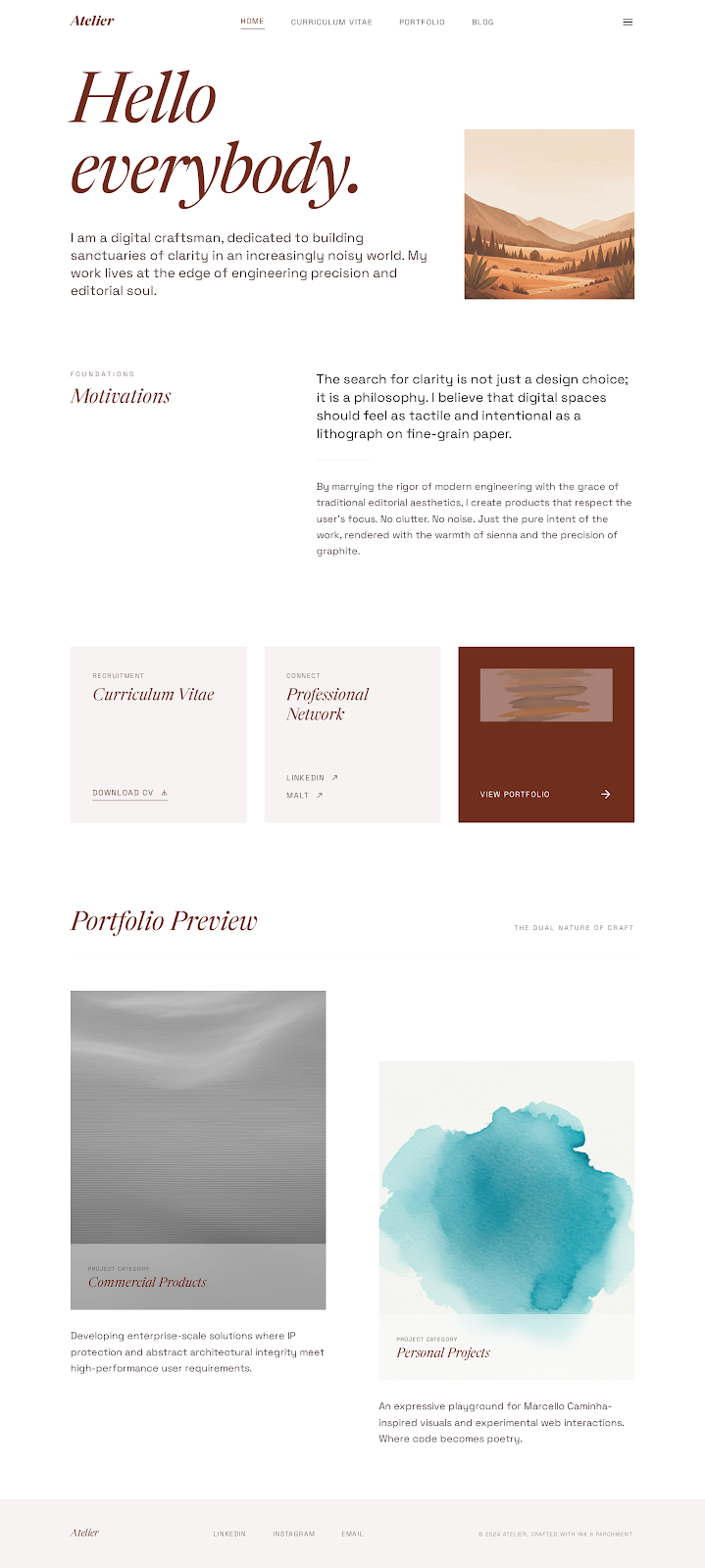
It started with Stitch, Google's UI prototyping tool. In fact, I started from my previous personal blog based on the Nook theme, which was a great starting point to illustrate what I wanted it to do. Then, I specified a theme that merged this library style with a corgi-ish color scheme, bringing a warm and playful yet professional look. The first cool feature about Stitch is that those elements allow you to define a theme or color scheme that can be referenced throughout the project.
With that, I described the landing page and its subpages with their hierarchy and features. Stitch generated HTML and Tailwind CSS prototypes for each. I am sharing with you the actual project.
Those prototypes were good enough to take seriously and incomplete enough to require decisions. I chose the white background over Stitch's warm cream (cream looks beautiful in a design tool, slightly yellowed on a real screen). I cut components that didn't serve the content. I consolidated the prototype files into a single coherent system.
Then I brought the whole thing to my VS Code + Copilot setup, which I configured to use Claude Sonnet 4.6 (the most recent release to the general public, at the time of writing) with the full project context: the Jekyll structure I wanted, the collections, the layouts, the front matter conventions, the configuration. Claude connected the pieces, writing for my specific setup rather than for Jekyll in general. I reviewed what came out, corrected what was wrong, and went again. The whole site took a couple of days, with occasional effort during my inspiration time.
Stitch (Beta)
Stitch is still in beta, and I am an early adopter. The tool is powerful, but it is not a magic wand. It produces solid prototypes that replace a lot of what lazy UI/UX and front-end design used to require. More importantly, it generates two things that matter for what comes next: a visual output that can be imported directly into project documentation, and sample HTML that gives the AI coding model everything it needs to work from. You have both the material and the vocabulary to describe what you want.
For instance, because I asked the model to blend a corgi and gaucho color scheme (which gives it much more to work with than a vague request like "warm creamy colors"), it named the theme "Caminha Atelier", drawing inspiration from the palette of the musician Marcelo Caminha's paintings. That kind of specificity propagates through the whole design in a way that generic instructions do not.
Claude Sonnet 4.6
Once the Stitch prototypes were ready, I imported them into my workspace and used Claude Sonnet 4.6 to handle the coding. I am not a web developer, but I have some background in software development management, and the workflow is not so different from managing a team: you establish your readme, your roadmap for feature integration, your coding guidelines, and your editorial guidelines (since this project is mainly a blog with extra steps). With that context in place, the model acts as a versatile format converter, taking the HTML prototypes and transforming them into a working Jekyll site.
Since Copilot also integrates GPT models, which are strong at text analysis and generation and available for free, the division of work ended up natural: Claude built the whole framework, and the writing side of things is assisted by GPT-4.1. Worth noting that Claude Sonnet is not free, so it is worth being deliberate about when you reach for it.

The main takeaways
This AI-assisted setup enables a focus on higher-level skills such as technical management, AI tooling, and documentation, while minimizing involvement with low-level coding tasks and implementation details.
The combination of a visual prototyping tool and a coding assistant is particularly effective for rapidly iterating on ideas and bridging gaps in technical expertise that are not central to the project goals. This approach is well-suited for personal or hobby projects, where a certain degree of imperfection is acceptable and the emphasis is on learning specific skills through application and experimentation, rather than exhaustive detail.
In practice, the AI automates routine tasks and forces me to establish clear workflows, allowing me to focus on the orchestration of the process and quality control based on my prior experiences in code management. This frees up time and cognitive resources to explore more emerging areas such as large language models, AI ethics, and advanced technical writing; which pleases me greatly.